Identity Passthrough for AI Agents
Implement identity passthrough so AI agents respect user permissions and generate meaningful audit trails. Never let AI become the identity.
🎯 Overview
Identity passthrough ensures that when an AI agent queries data on behalf of a user, the user's identity and permissions apply, not a shared service account. This is critical for security, compliance, and meaningful audit trails.
What You'll Learn
- Why shared service accounts for AI create security risks
- How to implement token forwarding through DreamFactory
- Configuration for various identity providers (AD, SAML, OAuth)
- How to generate user-attributed audit trails
- Blast radius containment for compromised sessions
Three Critical Benefits
Proper Data Access
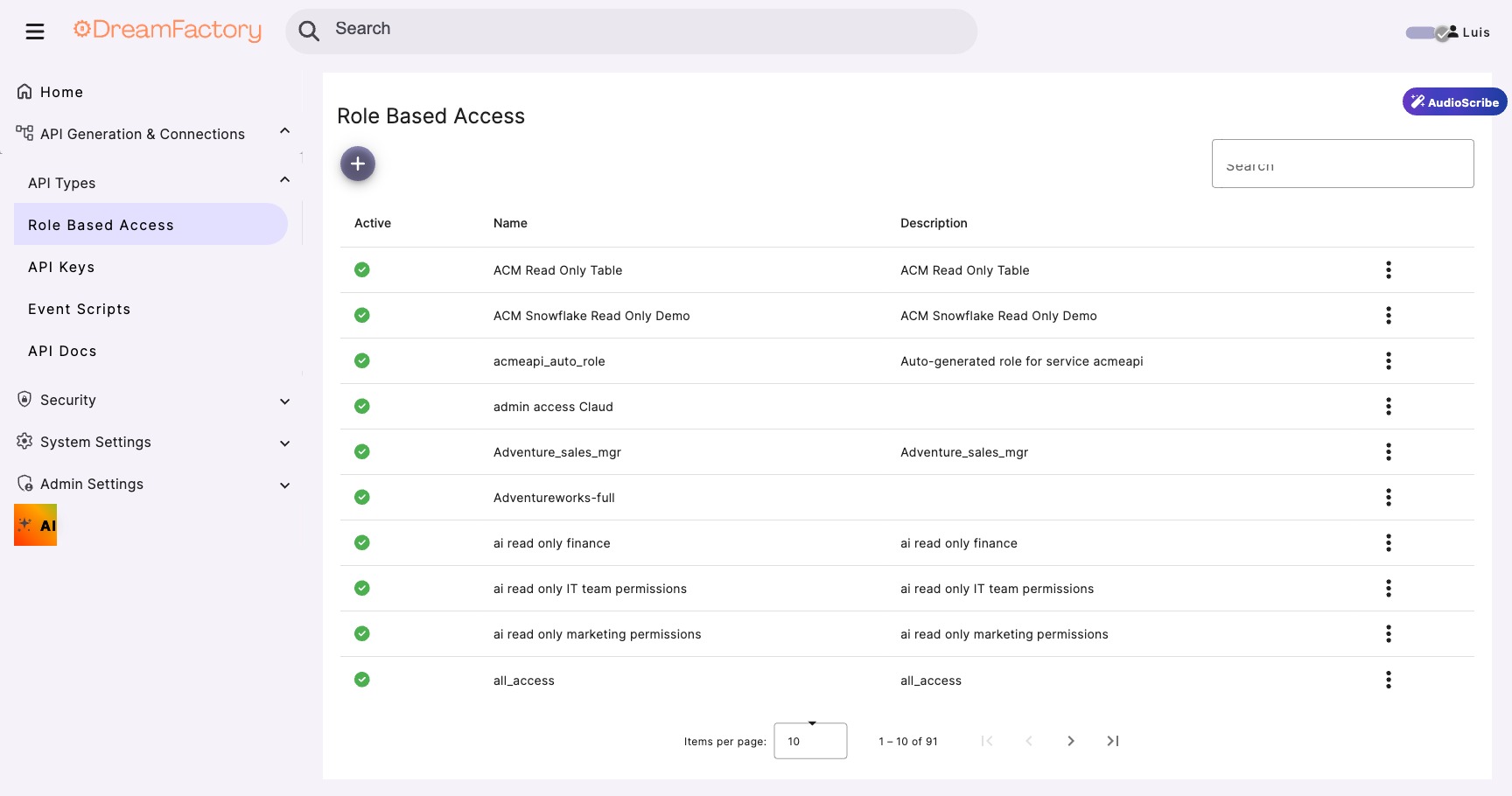
Database-level security (row-level, column masking) applies automatically based on the actual user.
Meaningful Audit Trails
Logs show "john.doe@company.com" not "ai-service-account". Real attribution matters.
Blast Radius Containment
Compromised sessions only access what that specific user could access, not everything.
📋 Prerequisites
| Requirement | Purpose |
|---|---|
| DreamFactory 7.x | AI Data Gateway with identity passthrough support |
| Identity Provider | AD, Azure AD, Okta, or other SAML/OAuth provider |
| User tokens | Ability to obtain JWT or session tokens for users |
| AI application | Your AI system that will forward user tokens |
⚠️ Why Identity Passthrough Matters
The Service Account Problem
Without identity passthrough, AI queries typically run under a shared service account. This means: (1) Every AI request has the same permissions, (2) Audit logs show "AI Service" instead of the actual user, (3) A compromised AI session exposes ALL data the service account can access.
With vs. Without Identity Passthrough
| Aspect | Without Passthrough | With Passthrough |
|---|---|---|
| Query Identity | ai-service-account | john.doe@company.com |
| Permissions | Full service account access | User's actual permissions |
| Row-Level Security | Bypassed or all rows | Applied per user |
| Audit Trail | "AI accessed sales data" | "John Doe accessed Q4 sales via AI" |
| Breach Impact | All data exposed | Only user's data exposed |
Step 1 Implement Token Forwarding
The AI application receives the user's authentication token and includes it with every API call to DreamFactory.
Token Flow Diagram
Capture User Token
When the user authenticates to your AI application, capture their token:
# In your AI application's authentication handler
from flask import request, session

def handle_user_login():
    """After OAuth/SAML authentication, capture the token"""

    # Token comes from your identity provider
    user_token = request.headers.get("Authorization")

    # Or from OAuth callback
    # user_token = oauth_response.access_token

    # Store in session for later API calls
    session["user_token"] = user_token
    session["user_email"] = decode_token(user_token)["email"]

    return {"status": "authenticated"}
Forward Token to DreamFactory
import requests

def ai_query_with_passthrough(user_token, query_params):
    """
    AI generates query but uses the user's token.
    Database permissions apply to the actual user.
    """

    # The key: pass the user's token, not a service account
    response = requests.get(
        f"{DREAMFACTORY_URL}/api/v2/db/_table/orders",
        headers={
            # Forward the USER's token
            "Authorization": f"Bearer {user_token}",
            "Content-Type": "application/json"
        },
        params=query_params
    )

    # Results are automatically filtered by user's permissions
    # Audit log shows: "User: john.doe@company.com"
    # NOT: "User: ai-service-account"

    return response.json()


# Usage in AI workflow
def handle_ai_request(user_query):
    # Get user's token from their session
    user_token = session.get("user_token")

    # AI processes the natural language query
    query_params = ai_parse_query(user_query)

    # Execute with USER's identity, not AI's
    results = ai_query_with_passthrough(user_token, query_params)

    return ai_generate_response(results)
The Magic Happens Automatically
Once you forward the user's token, DreamFactory automatically: validates the token, looks up the user's role and permissions, applies row-level security, logs the query with the user's identity, and returns only data they're allowed to see.
Step 2 Configure DreamFactory
Enable JWT Authentication
- Navigate to Config → Authentication
- Enable JWT Token Authentication
- Configure your identity provider's public key or JWKS URL
# JWT Configuration
JWT_SECRET=your-secret-or-public-key
JWT_ISSUER=https://your-identity-provider.com
JWT_AUDIENCE=dreamfactory-api

# For Azure AD / Okta
OAUTH_JWKS_URL=https://login.microsoftonline.com/{tenant}/discovery/v2.0/keys
JWT Configuration Reference
DreamFactory's JWT settings can be tuned via environment variables in your .env file:
| Setting | Default | Description |
|---|---|---|
DF_JWT_TTL | 1440 minutes (24 hours) | Token time-to-live: how long a JWT remains valid |
DF_JWT_REFRESH_TTL | 20160 minutes (14 days) | Refresh window: how long a token can be refreshed after expiry |
DF_JWT_USER_CLAIM | Custom JWT claim used to identify the user |
| Algorithm | Type | Notes |
|---|---|---|
HS256 | Symmetric (HMAC-SHA256) | Default algorithm, uses a shared secret key |
RS256 | Asymmetric (RSA) | Uses public/private key pair, recommended for external IdPs |
ES256 | Asymmetric (ECDSA) | Uses elliptic curve keys, compact and efficient |
Choosing an Algorithm
Use HS256 (the default) for simple setups where DreamFactory issues its own tokens. Switch to RS256 or ES256 when integrating with external identity providers (Azure AD, Okta, Auth0) that sign tokens with their own private keys, and DreamFactory validates using the provider's public key or JWKS endpoint.
Map Token Claims to DreamFactory Roles
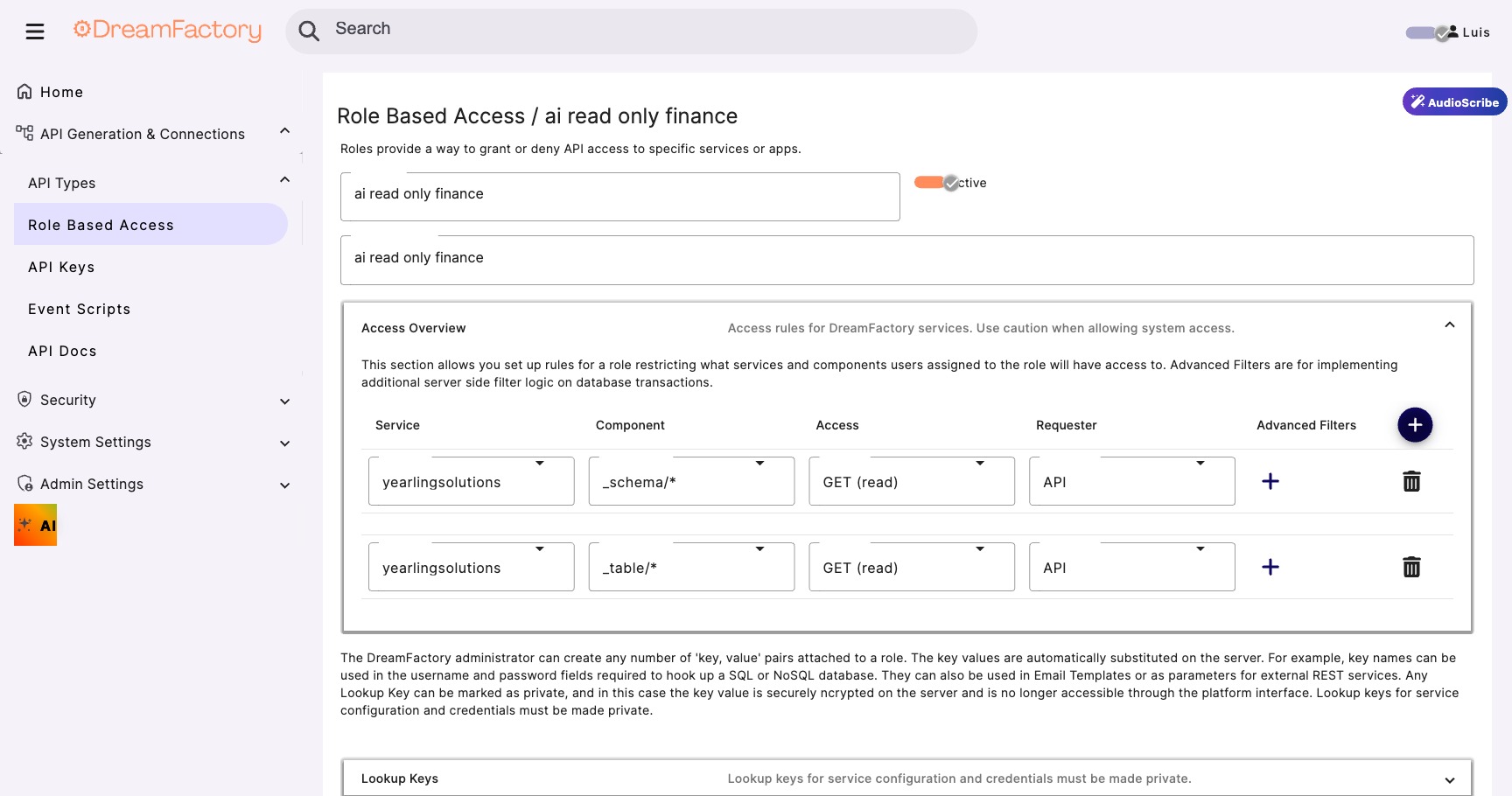
Configure how JWT claims map to DreamFactory roles:
{
  "claim_mapping": {
    "email": "user_email",
    "groups": "roles",
    "department": "user_department"
  },
  "role_mapping": {
    "Sales-Team": "sales_readonly",
    "Sales-Managers": "sales_admin",
    "Finance-Team": "finance_readonly"
  }
}
💻 Code Examples
JavaScript / Node.js
async function queryWithUserIdentity(userToken, tableName, filters) {
  const response = await fetch(
    `${DREAMFACTORY_URL}/api/v2/db/_table/${tableName}`,
    {
      headers: {
        'Authorization': `Bearer ${userToken}`,
        'Content-Type': 'application/json'
      },
      method: 'GET'
    }
  );

  return response.json();
}
cURL
# Forward the user's JWT token
curl -X GET "https://dreamfactory.example.com/api/v2/db/_table/orders" \
  -H "Authorization: Bearer ${USER_JWT_TOKEN}" \
  -H "Content-Type: application/json"
🔗 Supported Identity Providers
🏢 Active Directory Integration
Configure AD Connection
- In DreamFactory, go to Services → Create → LDAP
- Enter your AD server details
- Configure the base DN and bind credentials
Host: ldap.company.com
Port: 389 (or 636 for LDAPS)
Base DN: DC=company,DC=com
Account Suffix: @company.com
🔑 OAuth 2.0 & SAML Configuration
Azure AD Example
{
  "provider": "azure",
  "client_id": "your-app-client-id",
  "client_secret": "your-client-secret",
  "tenant_id": "your-tenant-id",
  "redirect_uri": "https://your-df-instance/api/v2/system/oauth",
  "scopes": ["openid", "profile", "email"]
}
💥 Blast Radius Containment
Without Identity Passthrough
A compromised AI session using a shared service account potentially exposes ALL data the service account can access. One breach = everything.
With Identity Passthrough
A compromised session can only access data that specific user was authorized to see. The blast radius is contained to one user's permissions.
Risk Comparison
| Scenario | Service Account | Identity Passthrough |
|---|---|---|
| Compromised Token | All company data | One user's data |
| Session Hijack | Full database access | User-scoped access |
| Prompt Injection | Can dump all tables | Limited to user's views |
📋 Audit Trails
With identity passthrough, audit logs become meaningful:
{
  "timestamp": "2026-02-05T14:32:18Z",
  "user": "john.doe@company.com",
  "action": "SELECT",
  "resource": "orders",
  "filters": {"status": "pending"},
  "records_returned": 47,
  "source": "ai-assistant",
  "ip_address": "10.0.1.55"
}
🔧 Troubleshooting
401 Unauthorized
Cause: Token expired or invalid signature.
Fix: Verify token hasn't expired. Check that DreamFactory has the correct public key/JWKS URL for your identity provider.
403 Forbidden Despite Valid Token
Cause: User's role doesn't have permission for the requested resource.
Fix: Check role mappings in DreamFactory. Verify the user's group claims include the expected values.
Audit Logs Show Service Account
Cause: Token not being forwarded; AI is using its own API key.
Fix: Ensure your code passes the user's Bearer token, not an API key, in the Authorization header.